Posts

Showing posts with the label Microsoft

HOW TO UNINSTALL MICROSOFT EDGE ON WINDOWS 10

Image
  If you don’t like Microsoft Edge on your Windows 10 computer, you can uninstall it and say goodbye. We are going to illustrate everything it takes to remove it from your PC. No doubt that Microsoft Edge is a good internet browser as it does have some remarkable features. However, some people don’t like using it as they are used to with the most popular and efficient web browser, Google Chrome. We also love Google Chrome instead of Edge since it provides far more convenient and better browsing features. Since most of the people in the world use the Google search engine, they surf the internet via Chrome for a better user experience. In the latest Windows 10 update, Edge has become the default internet browser. However, there is a method to remove it safely. Let’s learn that. Removing Microsoft Edge from Windows 10 There are several benefits of completely deleting the Edge browser from your PC. By removing it, you can actually free up some space in your system partition and hard dr...
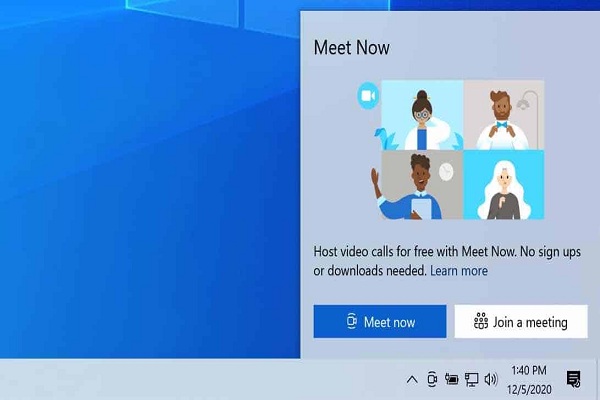
HOW TO UNINSTALL MEET NOW FROM WINDOWS 10

Image
  In this article, we have discussed the ways you can use to uninstall Met Now from your Windows 10 PC.  Microsoft has made a vast number of changes to its operating system after the May 2020 update, and these changes have not gone well with most of the users. It has changed the working of the Alt+Tab switcher alongside the size and appearance of the tasks appearing in the overview menu. Now, users are facing another issue, i.e., Meet Now will now be seen permanently on Taskbar on the Windows 10 PCs and laptops, and it’s something that individuals haven’t even asked for. So, if you are among the individuals who want to clear out Meet Now from your Windows 10 PC or laptop, follow the steps mentioned below: Permanently Uninstall Meet Now from Windows 10 Below are the steps that you can use to uninstall Meet Now from your Windows 10 PC: The method mentioned below uses Group Policy Editor to permanently uninstall Meet Now from your Windows 10 PC. However, due to the unavailability...

How to Change Default Search Engine in Microsoft Edge in Windows, Mac, Android, iOS

Image
  In this article, we have discussed the ways using which you can change the default search engine on Edge for Mac, Windows, iOS, and Android. When concerning the Chromium avatar, Edge has surpassed Firefox and is now the second-most popular web-browsing platform for desktops following Google Chrome. However, Edge comes with Microsoft Bing as its default search engine, and this might be something the users would not always prefer to see. If you are among the individuals who prefer using other search browsers, then you have come to the right place. With the help of the steps mentioned below, you will be able to change your default search engine in Edge for Mac, Windows, iOS, and Android. Change Microsoft Edge’s Default Search Engine on Mac And Windows You can easily change Edge’s default search engine on all desktop and mobile platforms. Similar to Google’s Chrome browser, this new Chromium-based browser by Microsoft also supports search providers that use OpenSearch. All the top up...