Posts

Showing posts with the label Apple

HOW TO DISABLE AUTO-PLAY IMESSAGE EFFECTS ON APPLE WATCH
Image
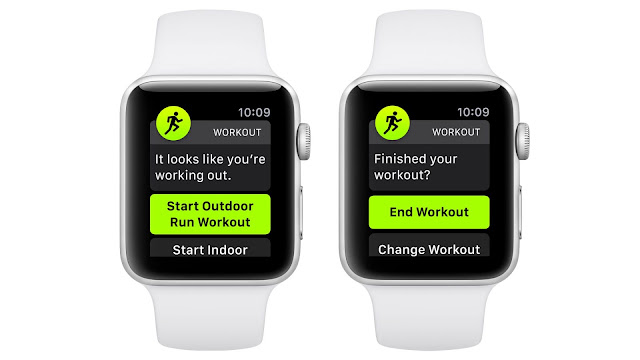
  In this article, we have discussed the ways using which you can disable AutoPlay iMessage effects on your Apple Watch. It’s easy and fun to use iMessage effects like confetti, lasers, and celebration. They are as pretty exciting as the hilarious Animoji and Memoji stickers that hardly fail to lose their charm. Even though we appreciate everything about the screen and bubble effects, disablingtheir auto-play in between the chat threads is highly recommendedto prevent battery drain issues. So, we have come up with the detailed instruction on how you can disable auto-play of the iMessage effects on an Apple Watch in a way similar to your iOS devices. Turn on/off Auto-Play iMessage Auto Effects on Apple Watch It would have been pretty much easier if the toggle to enable or disable theiMessage auto-effects ofwatchOSif it would have been inside the Messages app setting; rather, you’ll find it underthe Accessibility setting on both watchOS and iOS, and this is the main reason why most o...

HOW TO CUSTOMIZE AN APPLE WATCH BEGINNERS GUIDE

Image
  Do you wish to customize your Apple Watch as per your requirements and preferences? If yes, then you have arrived on the right website. We will try to give our best knowledge of how you can manipulate your Apple Watch as per your routine and choice. Let’s get started. Customizing Apple Watch While the Apple Watches are pretty good in terms of quality and style, they lack when it comes to customization compare with other smartwatches. However, you can customize your Apple Watch using some particular settings on it. We are going to share everything that you can change on it to make it your own. Google’s Wear OS is a far better operating system for smartwatches in customization and user preferences. Watches that run on Wear OS are highly customizable, and you can almost change everything on them. Customization options are a little limited in watchOS, but that doesn’t mean you cannot customize it at all. There are some options to change its appearance, styling, and other things. When...

IPHONE FACE ID MASK ISSUE: HOW APPLE IS FIXING IT WITH APPLE WATCH & IOS 14.5

Image
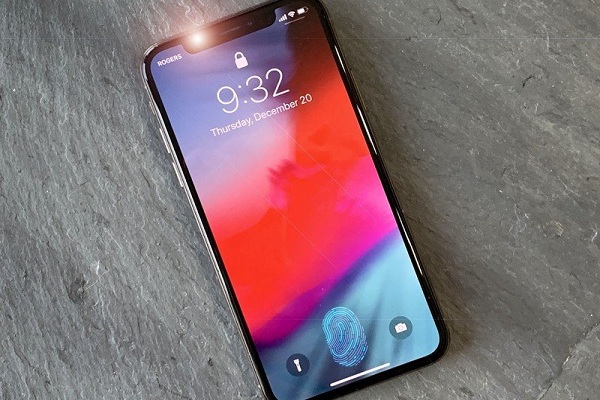
  Due to the ongoing pandemic, more and more users have started wearing face masks. It has made it difficult for them to unlock their iPhone and other Apple devices using Face ID. The first beta preview of iOS 14.5 for the developers is available now. With this latest update, Apple has introduced a feature that allows iPhone users to unlock their Apple devices through Face ID while using the Apple Watch. However, there are many ways available to iPhone users that they can use to unlock their iPhones. Face ID became an obstacle and a significant issue due to the pandemic, which forced people to wear face masks to protect themselves from any infection. Soon, the people will get the solution for Face ID. AS people started wearing face masks to follow government instructions, it became clear that Face ID will create a problem for iPhone users when unlocking their devices. Apple introduced a software update in an attempt to fix this problem. However, the software update proved to be onl...

A Guide to Enable Noise Cancellation for AirPods Pro on iPhone, iPad, and Mac

Image
  Apple launched the AirPods Pro in the year 2019. And since then, a lot of Apple users have started using it with their iOS devices. Apple’s AirPods Pro can be used with all the iOS devices that include iPhone, iPad, and Mac. There is no doubt that the company has always provided its users with the best products and services. And along with this, it keeps on introducing new features and options within its devices to provide the best experience to its users. The company launched the AirPods Pro with multiple great features that any iOS device user can easily use. And among all of them, “Noise Cancellation” and “Transparency Mode” are the most favorite features among the AirPods Pro users. Both of these are the most compelling AirPods Pro features that aim to provide you with the best and super clear audio quality. Do you also own an iOS device and have just purchased Apple’s AirPods Pro? If you have just started using Apple’s earbuds, then you might not be aware of its complete fea...